 Mr. Latte Story
A Task Management Take-Home for Pre-Employment Testing

This English page is a machine translation of the Korean original, so some wording may read a little off.
Overview
Pre-employment testing is a way of judging whether someone is suited to the work, either before hiring or during a probation period. Some of that gets covered by coding tests and in-depth interviews before an offer, but the test can also run after the hire, during probation. Either way it lets an organisation decide faster whether this is someone the team will keep working with.
Looking back
When the test runs during probation rather than before the offer, you can build it much closer to real working conditions, and that reads truer. Startups and small teams under hiring pressure sometimes cannot run a post-hire test at all, but doing it where possible has saved me trouble later. If you genuinely cannot, the next best thing is to pick work that can be split cleanly off the main project, without opening up existing source or confidential material, and let the real work and the evaluation run at the same time.
According to 7 Types of Pre-Employment Tests Given by Employers1 there are seven kinds of test. For the developer roles I worked with, two carried the weight: the skills assessment, for whether the person actually had the technical knowledge the role assumed, and the emotional intelligence test, for whether they would fit the team they were joining and would not be a drag on the people already there.
- Job knowledge tests
- Integrity tests
- Cognitive ability tests
- Personality tests
- Emotional intelligence tests
- Skills assessment tests
- Physical ability tests
Always follow the test with feedback, and it worked better to gather it with the whole team so everyone's read gets heard. Keep the feedback unemotional. Delivering it remotely takes extra care: organise the points and soften the wording so none of it lands as temper. That said, put real effort into feedback only for someone you intend to work with. If the answer is no, a short note and a fast decision, hard as it is, serves both sides better.
The brief
Overview
Build a task-based project management service along the lines of Asana2 or Monday3.
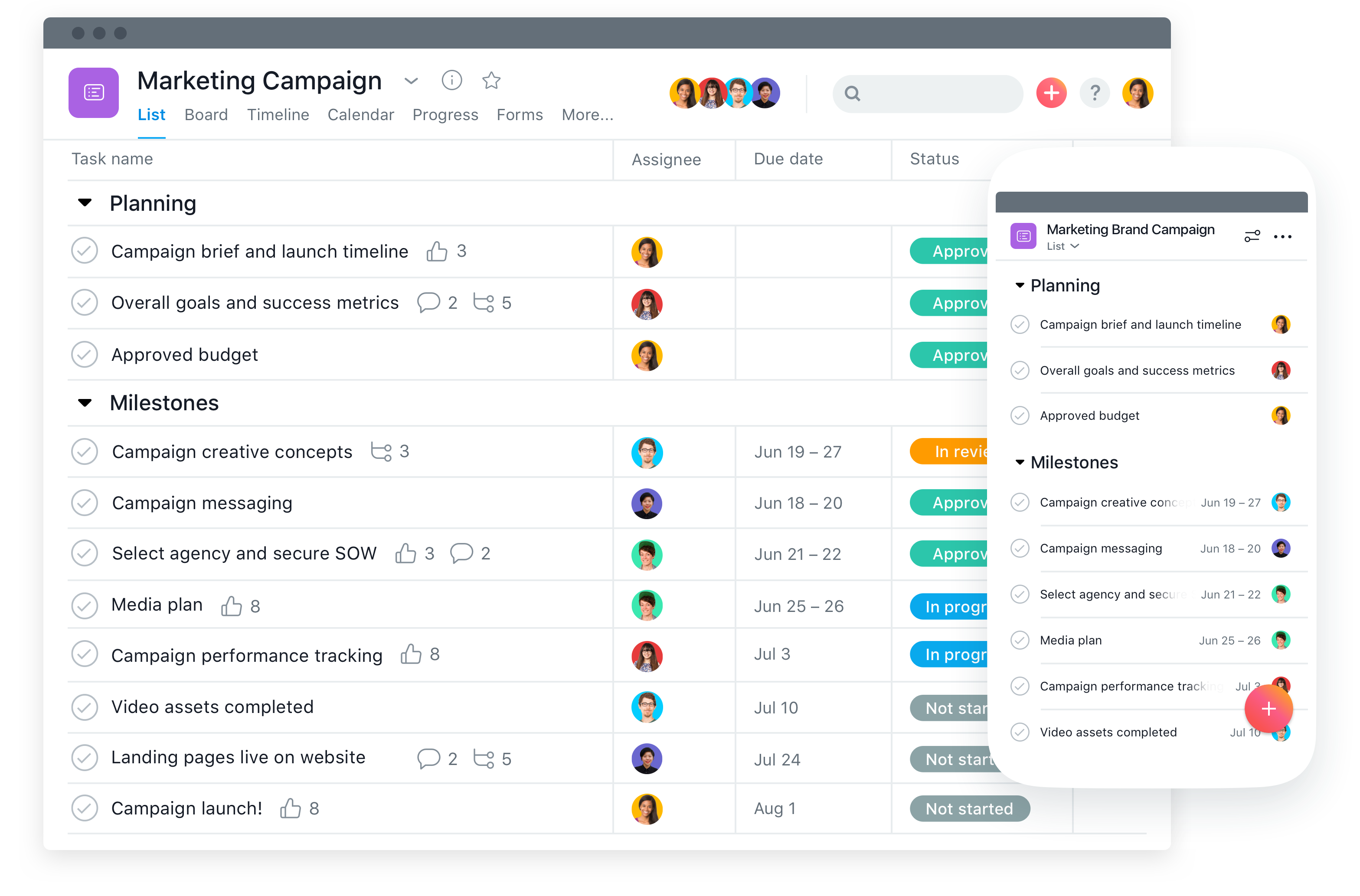
Environment
- Language (your choice)
- Backend
- Java + Spring Framework (Spring Boot is fine if you prefer) + MyBatis
- or Python (Django)
- Frontend
- Entirely your choice; use whatever you can work in
- Backend
- Database (your choice, any version)
Work on your local machine. If you need a separate server when sharing with the team later, we will arrange it once you are done.
- MySQL
- MariaDB
- Use Git
Duration
- Two weeks, not counting documentation
Notes
- Beyond the required features below, UI, UX, and anything else are yours to shape.
- Splitting the backend API from the frontend is what I would suggest, but do it however you prefer.
- It does not have to match Asana exactly. Aim to get the features working within the time.
Required features
Sign-in
Users can register and sign in, and manage tasks once signed in. Password recovery and account deletion are not required, though do add them if you have time.
| Field | Description |
|---|---|
| Sign-in email | |
| Password | Sign-in password (enforce rules for a safe password: letters and digits included) |
| Name | Display name (text) |
Creating and editing projects
A project sits above tasks and groups them together.
| Field | Description |
|---|---|
| Project name | Free text |
Creating and editing tasks
Users can create tasks and assign them to other users. Everyone can see all tasks, not only their own, and a My Tasks view narrows it to the ones assigned to them.
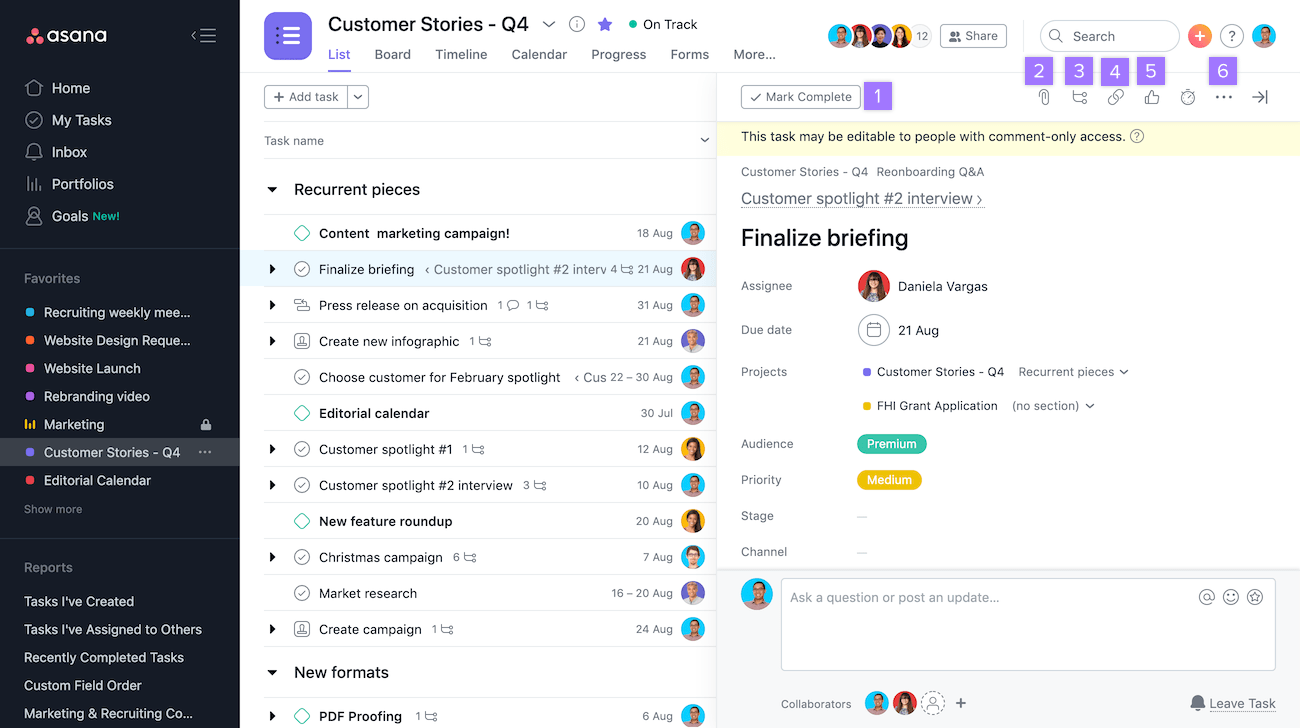
Asana's task fields, for reference (https://asana.com/guide/help/tasks/fields)
| Field | Description |
|---|---|
| Task name | Free text |
| Task detail | Must accept long-form content |
| Attachments | One or more files. Only signed-in users may reach them. |
| Assignee | Pick from registered users |
| Due date | Selectable. Past due dates render in a different colour. |
| Project | Optionally assign to a project |
Completing a task
A button or checkbox marks a task complete, and selecting it again undoes that.
Deliverables
- UML and class diagrams
- Detailed enough that someone else can follow the overall design.
- ERD
- So the database design can be read off it.
- Any other project documentation
- Anything else that helps explain the project.
- Installation and operations notes
- Think through what installation and running it would need, and write that down.
Feedback given
- Writing JavaScript asynchronously helps performance.
- Use
httpverbs such asPOST,PUT, andDELETEaccording to their meaning. - Keep database naming consistent, including column names and whether table names are singular or plural.
- Users arrive in all kinds of environments, so target browsers deliberately (ES6 matters here) and handle the unsupported case with a proper error.
- Watching for JavaScript
hoistingproblems and handling errors consistently pays off in maintenance. APIresponse messages need a written spec, and having theHTTPstatus code (200, 500, 404, and so on) agree with thejsonbody consistently cuts down on both maintenance and error states.- Assorted
UIandUXfeedback. - Feedback on handling personal data securely, including one-way and two-way encryption.